Turn new responses into useful inbox alerts
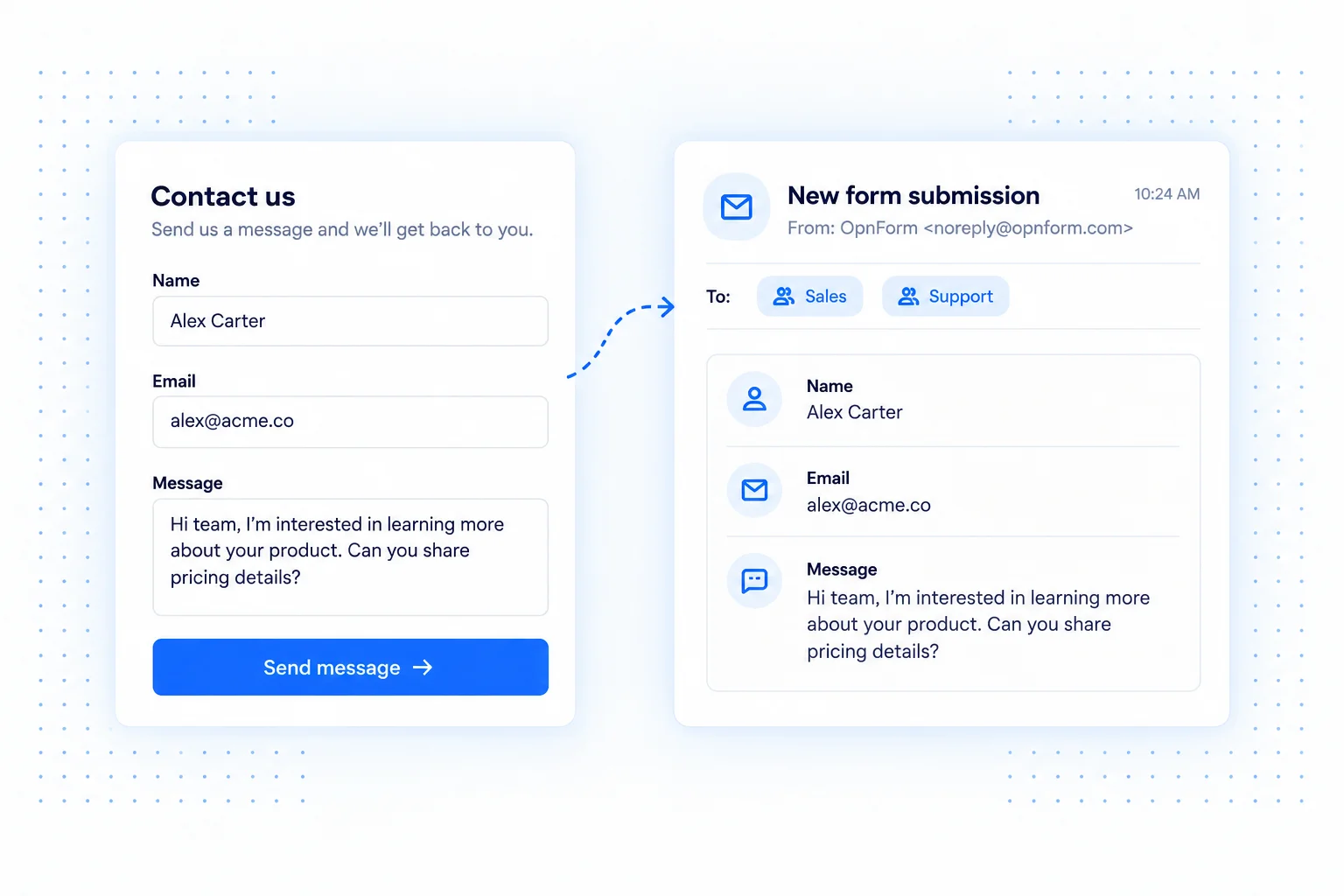
A contact form is only useful when someone follows up. OpnForm email notifications bring new submissions to your inbox, with the context you need to decide what happens next. Customize the subject and message with response fields so an alert is easy to recognize and act on.
Start with notifications to your own email address. With the appropriate paid features, you can send to other recipients or use a response field to address an email to the person who completed the form.
Email notification use cases
Follow up on sales inquiries
Include the contact's name, company, and request in the notification. Your sales team can read the key details before opening the full response and writing a personal reply.
Acknowledge applications and registrations
Send respondents a confirmation that their application or registration arrived. Explain the next step and the expected response time, using recipient customization where available on your plan.
Keep internal requests visible
Use email alerts for equipment requests, supplier inquiries, or employee feedback. Choose a clear subject that distinguishes each form from routine inbox traffic.
Set up email notifications
- Open your form's Integrations tab and add Email Notification.
- Check Send To. Free accounts can notify their own address; additional recipients and dynamic addressing require the corresponding paid features.
- Set the sender name, subject, and email content. Insert form fields where they add useful context.
- Save the integration, submit a sample response, and verify the message at the intended address.
Make each message actionable
Keep the subject short and include only the fields the recipient needs. For sensitive requests, prefer a brief notification and review the complete response in OpnForm. If a message does not arrive, check the address, spam folder, and the integration's delivery information before changing the form.
Common questions
Can I notify my team and the respondent?
Recipient customization can support different audiences when available on your plan. Configure separate notifications when they need different messages, and test each recipient path.
Can I use my own sender domain?
OpnForm offers custom SMTP for sending through your own mail setup. Check your plan's requirements before configuring it.
For shared spreadsheets instead of inbox alerts, explore Google Sheets.